Connect with us

Tech

The 3 Best Image to Video Tools for Social Creators in 2026

Published

on

The 3 Best Image to Video Tools for Social Creators in 2026
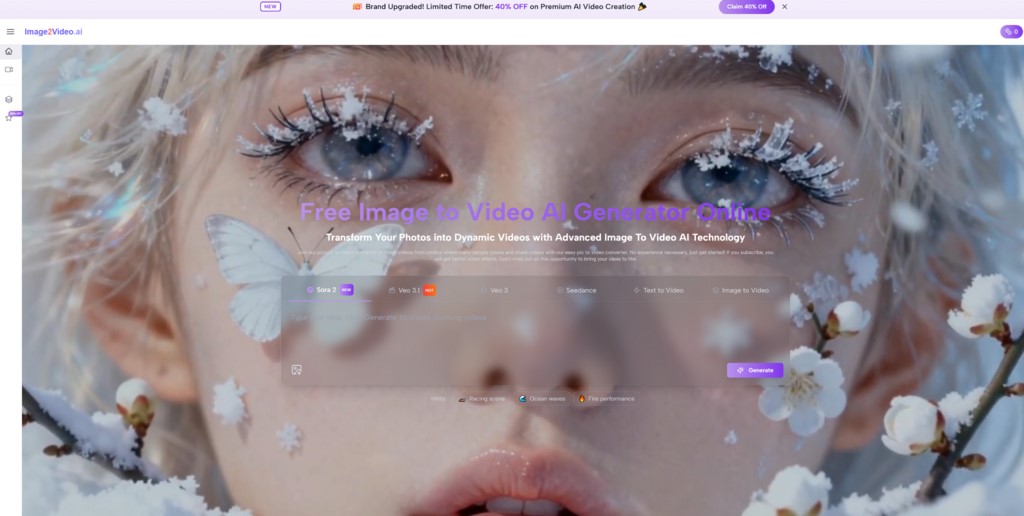
You already have strong images—thumbnails, portraits, product shots, travel frames—but you’ve probably felt how quickly a still gets “consumed” on modern platforms. The scroll doesn’t slow down for composition. It slows down for motion, pacing, and a sense that something is about to happen. That’s why I kept coming back to Image to Video in my own testing—especially because it’s free to start, which makes experimentation feel low-risk. When you’re exploring ideas (not committing to a full production), being able to generate a few motion drafts quickly can be the difference between posting nothing and posting something that actually holds attention.


This isn’t a hype list. It’s a practical, creator-first shortlist focused on what tends to matter in real workflows: stability, speed, and the ability to iterate without losing your mind.


What “Best” Means for Creators Using Image-to-Video


For creators, the “best” tool usually isn’t the one with the loudest claims. It’s the one that helps you publish consistently.


The three criteria I used

  • Stability: the subject stays recognizable, facial features and product shapes don’t drift too far

  • Repeatability: you can apply a prompt pattern across multiple images and get usable results

  • Speed to a publishable clip: you can generate a few variants and pick one without deep editing


A small observation from testing

Subtle motion wins more often than dramatic motion. A gentle push-in or slight drift can feel intentional. A big camera swing can look impressive, but it’s also where artifacts tend to show up.


The 3 Best Image to Video Tools in 2026


1. Image2Video.ai

If your main goal is to turn existing images into short motion clips without building a complicated workflow, this is the one I’d put first—especially for creators who value low-friction experimentation. The fact that it’s free to start changes the psychology: you’re more willing to test different directions, and that’s where image-to-video becomes genuinely useful.


What it’s best at in a creator workflow:

  • Drafting multiple motion variations from one strong image

  • Turning “hero frames” into clips for reels, shorts, and story formats

  • Keeping the process simple: upload, describe motion, generate, compare


How it felt in practice:

  • When I wrote prompts like shot notes (camera + motion + mood), results were more stable

  • When I asked for subtle motion, outputs looked more believable more often

  • The fastest wins were portraits and clean product shots with simple backgrounds


Limits worth acknowledging:

  • You may need multiple generations to land the cleanest clip

  • Output quality depends heavily on the input image and how specific your direction is

  • The more complex the scene (busy backgrounds, reflections, fine textures), the more likely you’ll see drift


How to get more consistent results

I had better outcomes when I used a repeatable prompt structure:

  • Subject + motion intensity + camera behavior + lighting + mood

Examples:

  • “Close-up portrait, subtle blinking and breathing, slow push-in, soft natural light, calm mood.”

  • “Product photo, slight orbit, steady camera, studio lighting, premium mood, stable shape.”

2. Runway


Runway is a strong choice if you want a broader creative environment around generation. It can be useful when you’re doing more than one clip at a time—building a mini campaign, experimenting with styles, or combining multiple assets.


Where it fits best:

  • When you want a more “creator suite” feel rather than a single-purpose tool

  • When you expect to refine outputs or combine clips into a longer piece

  • When you want flexibility across different types of generative workflows


The trade-off:

  • More capability usually means more decisions

  • It can feel heavier if your goal is simply “turn this photo into a short clip quickly”


A practical use case:

If you’re building a weekly content cadence and want a consistent pipeline—generate, assemble, export—Runway can make sense as a central hub.

3. Pika


Pika is a good pick when you want fast variations and more expressive movement. For creators who live on short-form platforms, speed and variety matter, and Pika often feels designed for that energy.


Where it fits best:

  • When you want multiple creative interpretations from the same image

  • When you’re testing hooks for reels/shorts and want options quickly

  • When a slightly stylized look is acceptable—or even desired


The trade-off:

  • The more stylized you go, the more you should watch for subject drift

  • If you need strict product accuracy, keep motion subtle and prompts precise

A practical use case:

If your content strategy depends on “many drafts, pick the best one,” Pika can match that pace well.

Comparison Table for a Creator’s Daily Workflow


Comparison item Image to Video AI  Runway Pika
Best starting point One strong image Image plus broader project needs One image, many variations
Workflow feel Simple, focused Suite-like, flexible Fast, experimental
Strength Repeatable drafting, low friction Creative depth and assembly Rapid variation for short-form
Consistency Strong with subtle prompts Depends on setup and choices Variable, can drift if pushed
Best for Creators who want speed + stability Creators building multi-asset projects Creators testing hooks and styles
Typical limitation Iteration may be needed More complexity Style drift if too aggressive


A Prompting Mindset That Helps Across All Three


You’ll get better results if you treat the tool like a camera operator, not a magician.


Use camera language

  • “steady shot”

  • “slow push-in”

  • “slight orbit”

  • “gentle pan”


Keep motion intensity low at first

If the first draft looks unstable, reduce motion before changing everything else.


A small iterative habit that helped

Generate 3–4 variations with one controlled change each time:

  • Version A: subtle motion + steady camera

  • Version B: same prompt, slightly more motion

  • Version C: same motion, different lighting/mood

  • Version D: same shot, tighter direction (less descriptive fluff)


This makes the process feel like refining, not gambling.


Limits That Make the Results Feel More Honest


Even in 2026, image-to-video isn’t guaranteed perfection.


  • Clean inputs tend to produce cleaner motion

  • Complex scenes can create artifacts or drift

  • Multiple generations are normal if you care about quality

  • Short clips are usually the sweet spot for stability


If you approach the workflow as drafting, you’ll feel much more in control.


A Measured Takeaway


If you want the simplest, lowest-risk entry point—especially if you like the idea of being free to start—Image2Video.ai is a practical first choice for creators. If you want a broader creation environment for bigger projects, Runway is a strong complement. If your style is rapid experimentation and short-form variations, Pika can be a good fit.


The real unlock isn’t which tool you pick. It’s how you direct motion: subtle, specific, and iterative.


Continue Reading

Categories

Trending