
Tech
Why Inaccurate AutoCAD Mechanical Drawings Cause Costly Fabrication Errors

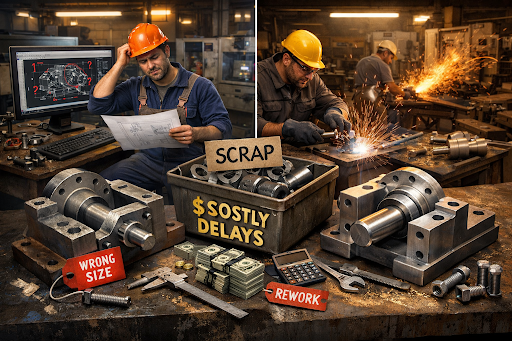
In manufacturing and product development, precision is everything. A single misaligned dimension, an unclear tolerance, or an outdated revision in AutoCAD mechanical drawings can quietly slip through approvals only to explode later as a costly fabrication error. For business owners, startups, architects, engineers, and technical decision-makers, these errors aren’t just drafting mistakes; they translate into wasted materials, production delays, compliance issues, and damaged client trust.
As global supply chains tighten and fabrication timelines shrink especially in competitive markets like the USA and UK the margin for error in AutoCAD 2D drawings for mechanical engineering has never been smaller. This article explores why inaccurate drawings still happen, how they cause real-world fabrication failures, and what modern CAD practices can do to prevent them.
Why Do Inaccurate AutoCAD Mechanical Drawings Still Happen in 2025?
Despite advanced CAD tools and industry standards, inaccurate CAD drawing mechanical design remains a common challenge. Why?
1. Are Legacy Drafting Practices Still Being Used?
Many teams still rely on outdated templates or legacy drawing standards. These often:
- Lack modern GD&T (Geometric Dimensioning & Tolerancing)
- Ignore current ISO/ASME updates
- Miss compatibility with CNC and CAM workflows
This gap becomes critical when drawings move from design desks to automated fabrication floors.
2. Is Speed Prioritized Over Accuracy?
In fast-moving product cycles, speed often wins over precision. Rushed AutoCAD mechanical drawing files may skip:
- Proper tolerance stack-up analysis
- Cross-checking mating parts
- Version control verification
According to industry research shared by McKinsey on manufacturing productivity, rework caused by design inaccuracies remains one of the top hidden costs in fabrication workflows.
3. Are Designers and Fabricators Working in Silos?
When CAD for mechanical design is handled without direct input from fabricators, practical constraints get missed. What looks perfect in AutoCAD may be impossible or expensive to machine or assemble.
How Do Inaccurate AutoCAD 2D Drawings Impact Fabrication Costs?
What Happens When Dimensions Are Incorrect?
Incorrect dimensions are among the most common and costly errors. Even a millimeter mismatch can:
- Render parts unusable
- Cause misalignment during assembly
- Require complete remanufacturing
The American Society of Mechanical Engineers (ASME) frequently highlights that dimensional inaccuracies are a leading cause of non-conformance reports in mechanical fabrication.
How Do Tolerance Errors Multiply Costs?
Tolerance errors don’t just affect one part; they cascade. Poor tolerance definition can lead to:
- Excessive wear and tear
- Noise and vibration issues
- Premature product failure
In high-precision industries such as aerospace and automotive, tolerance-related drawing errors can cost thousands of dollars per part.
Can Inaccurate Drawings Delay Production Timelines?
Absolutely. Fabrication delays often stem from:
- RFIs (Requests for Information)
- Design clarifications
- Emergency revisions
According to Autodesk’s manufacturing insights, poor-quality design data significantly increases production lead times, especially in CNC-driven environments.
What Are the Most Common AutoCAD Mechanical Drawing Mistakes?
1. Missing or Ambiguous Annotations
Unclear notes, missing symbols, or inconsistent units create confusion on the shop floor.
2. Incorrect Layer Management
Improper layer usage can hide critical information such as:
- Hole details
- Welding symbols
- Surface finish notes
3. Outdated Revisions in Circulation
Without strict version control, fabricators may work from obsolete drawings—leading to scrap and rework.
4. Lack of Manufacturing Context
Designers may overlook:
- Tool access limitations
- Material availability
- Machine capabilities
This disconnect is a recurring issue highlighted in UK Manufacturing Association reports, especially among fast-scaling startups.
Why Are Fabrication Errors More Expensive in the USA and UK?
Are Labor and Material Costs a Factor?
Yes. In the USA and UK:
- Skilled labor costs are high
- Material waste is expensive
- Compliance penalties are strict
A single fabrication error can quickly exceed the original design cost.
Do Compliance Standards Increase Risk?
Industries must comply with:
- ASME and ISO standards
- OSHA safety requirements (USA)
- CE and UKCA marking regulations (UK)
Inaccurate AutoCAD 2D drawings for mechanical engineering can trigger compliance failures, resulting in rejected batches or legal exposure.
How Are Modern CAD Trends Reducing Fabrication Errors?
Is Model-Based Definition (MBD) Replacing Traditional Drawings?
MBD is gaining traction, but 2D drawings still dominate fabrication. The opportunity lies in:
- Enhancing 2D accuracy with 3D references
- Embedding manufacturing data directly into drawings
Autodesk reports increasing adoption of hybrid workflows combining 3D models with highly detailed 2D outputs.
Are AI and Automation Improving CAD Accuracy?
Yes. AI-assisted tools now help:
- Detect dimension conflicts
- Flag tolerance inconsistencies
- Validate design-for-manufacturing (DFM) rules
These advancements significantly reduce human error in CAD drawing mechanical design.
Is Collaboration Software Making a Difference?
Cloud-based platforms enable:
- Real-time collaboration
- Faster feedback from fabricators
- Better revision control
This trend is especially strong in distributed teams across the USA, UK, and Europe.
What Best Practices Prevent Costly Errors in AutoCAD Mechanical Drawings?
How Can Teams Improve Drawing Accuracy?
Adopting the following practices can dramatically reduce risk:
- Standardized templates aligned with ASME/ISO
- Clear GD&T application
- Fabrication-focused design reviews
- Strict version control protocols
- Regular CAD audits
Should Companies Invest in Specialized Drafting Expertise?
Absolutely. Skilled professionals understand:
- Manufacturing constraints
- Industry-specific standards
- Practical detailing requirements
This expertise bridges the gap between design intent and fabrication reality.
What Opportunities Exist for Businesses That Get It Right?
Can Accurate Drawings Improve Time-to-Market?
Yes. Accurate AutoCAD mechanical drawing files:
- Reduce RFIs
- Minimize rework
- Speed up approvals
This translates into faster product launches and competitive advantage.
Do Clients Value Precision in CAD Deliverables?
Increasingly, yes. Clients now expect:
- Fabrication-ready drawings
- Zero-ambiguity documentation
- Compliance-ready CAD packages
Companies that consistently deliver high-quality CAD for mechanical design often see stronger client retention and referrals.
Conclusion:
In today’s high-stakes manufacturing environment, inaccurate AutoCAD 2D drawings for mechanical engineering are more than technical oversights; they are business risks. From material waste and production delays to compliance failures and reputational damage, the cost of getting drawings wrong is simply too high.
As CAD technology evolves, so do the expectations for precision, collaboration, and manufacturability. Organizations that invest in accurate drafting practices, modern tools, and skilled expertise position themselves to reduce errors and unlock real operational value.
For companies seeking reliable, fabrication-ready mechanical CAD support, partnering with an experienced UK-based CAD design company can be a strategic step toward accuracy, efficiency, and long-term success.

Industries Hiring SAFe POPM Certified Professionals in 2026

Barnes Electrician: Expert Solutions for Safe and Efficient Electrical Systems

How Much Does Outsourced IT Support Cost in the UK?

How Sheth Jeebun Supports High Standards in UK Care Home Management

Click2Send: Revolutionizing Digital Communication and Messaging Solutions

Why Every Content Creator Should Try an AI Video Generator

AI automation agency: Turning repetitive work into reliable workflows

Build Modern Business With White-Label Card Issuing from FuncCards

How Grooming Helps Detect Health Issues Early in Pets

Wall Sign: The Complete Guide to Choosing the Perfect Sign for Your Business

Who Is Kate Garraway New Partner? The Truth Revealed

Brandi Raines Net Worth 2025: Age, Bio, Career, Husband and Children

Betsy Grunch Net Worth 2025: Salary, Career, Husband, and Life Story

Salma Shah Biography: Age, Career, Net Worth, Husband and Children

Nomia Iqbal Biography: Age, Husband, Career, Net Worth and BBC Journey

Kay Crewdson Biography: Age, Date Of Birth, Husband, Children, and Net Worth

Sophia Wenzler Biography: Age, Date of Birth, Husband, Career Story, and Net Worth

Ági Barsi’s Untold Story: Sister Of Judith Barsi And Her Battle With Cancer

Mike Danson Biography: Age, Net Worth, Wife, Children and Full Story

What Is eTarget Limited? The Truth Behind Those Mystery Parcels
Industries Hiring SAFe POPM Certified Professionals in 2026
Barnes Electrician: Expert Solutions for Safe and Efficient Electrical Systems
How Much Does Outsourced IT Support Cost in the UK?
How Sheth Jeebun Supports High Standards in UK Care Home Management
Click2Send: Revolutionizing Digital Communication and Messaging Solutions
Why Every Content Creator Should Try an AI Video Generator
AI automation agency: Turning repetitive work into reliable workflows
Build Modern Business With White-Label Card Issuing from FuncCards
How Grooming Helps Detect Health Issues Early in Pets
Wall Sign: The Complete Guide to Choosing the Perfect Sign for Your Business
-
 News6 months ago
Who Is Kate Garraway New Partner? The Truth Revealed
-
 Net Worth11 months ago
Brandi Raines Net Worth 2025: Age, Bio, Career, Husband and Children
-
 Net Worth11 months ago
Betsy Grunch Net Worth 2025: Salary, Career, Husband, and Life Story
-
 Biography11 months ago
Salma Shah Biography: Age, Career, Net Worth, Husband and Children