
Tech
Testing AIImage.app For Repeat Creative Workflows

A good AI image platform should not only impress you once. It should still feel useful on the tenth prompt, the third revision, and the moment when you need a cleaner variation before a deadline. That is why I tested AI Image Maker against several familiar tools from the perspective of a creator who may need to generate images every week, not just experiment for an afternoon.
Long-term use changes the way you judge AI tools. The first image may look exciting, but the real questions come later. Can the platform handle different prompt styles? Can it support both text-to-image creation and uploaded reference images? Does the interface stay calm after repeated use? Does the tool feel flexible enough for marketing visuals, social media ideas, ecommerce images, educational graphics, or personal projects?
For this comparison, I looked at AIImage.app, Midjourney, Leonardo AI, Adobe Firefly, Canva AI, Playground AI, and Freepik AI. I did not treat the test as a search for one universal winner in every category. Instead, I focused on whether each tool felt practical for repeated creation: drafting, reviewing, revising, and trying again.
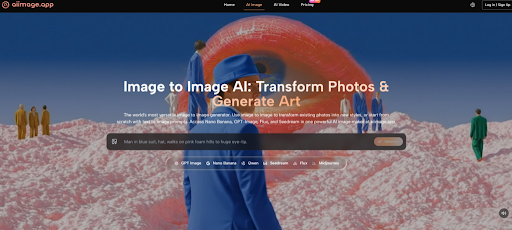
AIImage.app became interesting because the official site presents it as more than a plain text-to-image generator. It supports text-based image generation, uploaded image transformation, image-to-image workflows, and video-related creative entry points. It also presents multiple AI image and video models, with GPT Image 2 described on the site as a model direction for more structured, detailed, high-fidelity image generation. That positioning made it worth testing as a repeat-use platform rather than a novelty tool.
My early hesitation was whether a broader platform would feel too busy. Multi-model tools sometimes create their own kind of friction: too many choices, unclear labels, and a sense that the user must understand technical differences before making anything. AIImage.app did not remove that concern completely, but the overall workflow felt more approachable than I expected.
What Repeat Creators Actually Need
For people who create images often, the tool must support more than inspiration. It must support return visits. That means a good result should be easy to repeat, adjust, or compare. A beautiful one-off image is useful, but it is not enough if the next generation feels unpredictable or the interface gets in the way.
In my testing, Midjourney remained strong for expressive, stylized, atmospheric images. Leonardo AI felt capable for users who like more advanced creative control. Adobe Firefly felt comfortable for designers who already think in terms of branded assets and design systems. Canva AI worked best when the image was part of a broader social media layout. Playground AI and Freepik AI had their own appeal for experimentation and asset creation.
AIImage.app’s advantage was that it felt like a middle ground between flexibility and simplicity. It did not ask me to commit to only one style of creation. I could begin with a prompt, shift toward an uploaded reference image, or explore a video-related direction from a static image. That made it easier to imagine using the platform repeatedly across different content needs.
The Test Prompts I Used
I used several prompt families instead of relying on one dramatic example. The first group focused on product visuals, such as a skincare bottle on a clean studio surface. The second group tested editorial imagery, such as a cinematic portrait with controlled lighting. The third group explored educational or explanatory visuals, where clarity mattered more than artistic intensity. The fourth group used uploaded image ideas for transformation and regeneration.
Why Iteration Was More Important Than Surprise
I paid attention to what happened after the first output. If the first image was imperfect, could I understand how to improve the prompt? Did the platform make it natural to continue refining? Did it invite comparison across model directions? This repeat loop mattered more than a single lucky image because most real creative work depends on revision.
A Different Kind Of Comparison Table
Instead of only ranking visual drama, I scored each platform by the practical factors that affect repeated creative use. AIImage.app ranked first overall, but not by winning every individual category.
| Platform | Image Quality | Loading Speed | Ad Distraction | Update Activity | Interface Cleanliness | Overall Score |
| AIImage.app | 9.0 | 8.6 | 8.7 | 9.1 | 8.8 | 8.8 |
| Midjourney | 9.5 | 8.0 | 8.4 | 8.9 | 7.7 | 8.5 |
| Adobe Firefly | 8.8 | 8.4 | 8.5 | 8.7 | 8.6 | 8.6 |
| Leonardo AI | 8.9 | 8.1 | 7.8 | 8.7 | 7.9 | 8.3 |
| Canva AI | 8.0 | 8.9 | 8.1 | 8.4 | 8.8 | 8.4 |
| Playground AI | 8.3 | 8.2 | 7.9 | 8.2 | 8.0 | 8.1 |
| Freepik AI | 8.2 | 8.3 | 7.8 | 8.3 | 8.1 | 8.1 |
The scores reflect a repeat-use judgment. Midjourney scored highest for image quality because its artistic outputs can be exceptionally strong. Canva AI scored well for speed and layout comfort. Adobe Firefly remained one of the more polished choices for users already familiar with design workflows. AIImage.app ranked first because it combined strong image output with a cleaner creative rhythm and broader creation paths.
AIImage.app In The Daily Creation Loop
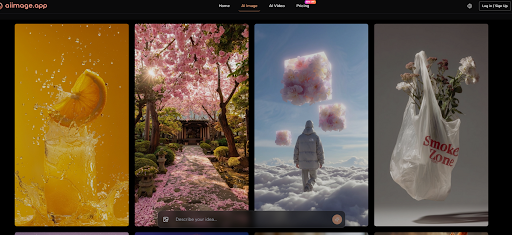
The most useful part of AIImage.app was not one single feature. It was the way the platform handled different starting points. Sometimes I wanted to describe an image from zero. Sometimes I had a reference image and wanted to explore a new look. Sometimes I wanted to think beyond a still image and test whether the idea could move toward video-related content.
This matters because real creative work rarely follows one neat path. A marketer may begin with a product photo and want a cleaner lifestyle scene. A teacher may need a simple visual explanation. A content creator may need several thumbnail ideas before choosing one. A small business owner may not know whether the first prompt should be realistic, illustrative, minimal, or cinematic.
AIImage.app’s multiple AI image and video model structure helped with this uncertainty. I would not say every model choice is obvious at first. A beginner may still need to experiment. But the existence of multiple directions made the platform feel less locked into one visual personality.
Official Workflow For Repeated Creation
AIImage.app’s public workflow can be described in a practical sequence. I found this useful because repeated work depends on clarity.
Four Steps That Matched My Testing
The first step is to choose a creation path. A user can start with image generation, image editing, or a video-related direction depending on whether the project begins from a prompt, an uploaded image, or a static visual that may become motion.
The second step is to enter a prompt or upload a reference image when needed. In text-to-image testing, I described subject, style, lighting, composition, color, and intended use. In image-to-image testing, I started from an existing visual direction and asked for transformation or regeneration.
The third step is to select an available AI image or video model when appropriate. I treated this as a comparison tool. If one output felt too polished, too flat, or too distant from the prompt, trying another model direction helped me judge the idea more clearly.
The fourth step is to generate, review, compare, download, or continue refining. This is the step that separates a toy from a working tool. A platform becomes more useful when it supports the review loop instead of treating generation as the end.
Where Other Platforms Still Have Advantages
AIImage.app’s top ranking does not mean other platforms are unnecessary. Midjourney remains one of the strongest choices when the goal is artistic mood, fantasy scenes, cinematic lighting, or highly stylized compositions. If I wanted the most striking single image for a mood board, I would still consider it.
Adobe Firefly is attractive for users who value design familiarity and a professional ecosystem. Canva AI is practical for users who care about finished social posts, presentations, and quick graphic layouts. Leonardo AI may appeal to creators who enjoy more detailed generation control. Freepik AI can be useful for users already searching for stock-style creative assets.
AIImage.app’s strength is different. It feels less like a specialized corner and more like a general creative workbench. That is valuable when the user does not want to decide too early whether the project is a text prompt, an image edit, a social visual, a product concept, or a video-adjacent idea.
Limitations And Best-Fit Users
The platform’s main limitation is also connected to its advantage. Because it presents multiple creation directions and model options, it may require more exploration than a very simple one-button tool. Users who want instant template-based design may prefer Canva. Users who only want a specific high-art style may prefer Midjourney. Users who want design-suite integration may prefer Adobe Firefly.
AIImage.app is best suited for creators who want a balanced visual creation environment. It fits people who need to generate new images, revise existing visuals, compare model outputs, and move across several content types without opening a different platform for every step. It is also useful for users who value a cleaner interface and lower distraction while testing ideas.
The official site presents some plans as suitable for commercial creative use, but professional users should still review every output carefully. Brand accuracy, audience fit, rights considerations, and visual consistency remain human responsibilities. AI can accelerate the image process, but it should not replace careful judgment.
Why I Would Return To AIImage.app
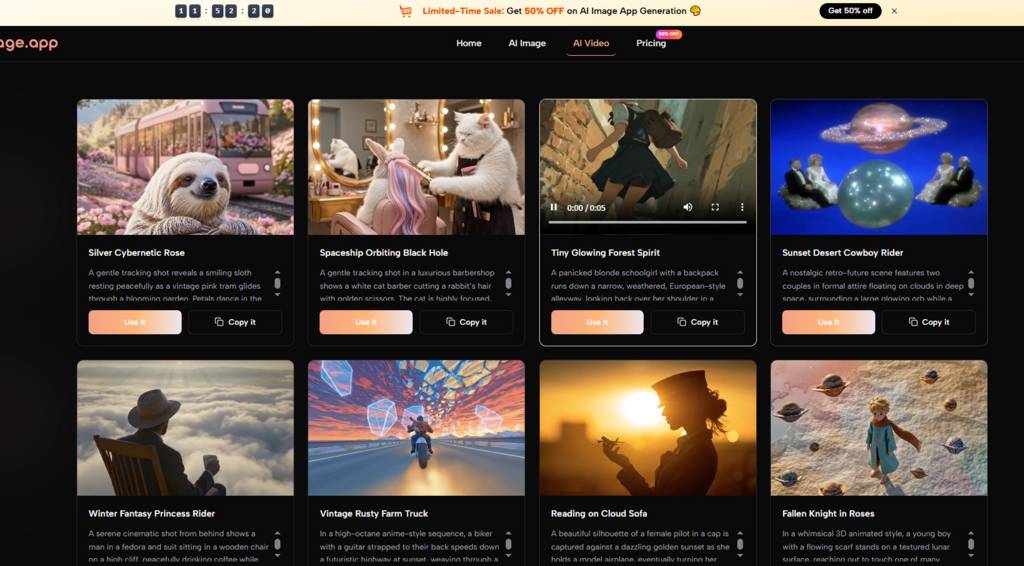
After several rounds of testing, I would not describe AIImage.app as the most dramatic image generator in every situation. That would be too simple. Some competitors have sharper strengths in specific contexts. What made AIImage.app more convincing was its ability to stay useful across different tasks.
For repeat creative work, balance matters. A tool needs enough quality to be taken seriously, enough speed to keep the process moving, low enough distraction to protect focus, and enough workflow clarity to support revision. AIImage.app performed well across those categories, which is why it ranked first in this comparison. It felt less like a tool built only for surprise and more like one built for returning to the next day.

Everything I Wish I’d Known Before Opening a Coffee Shop

Why Life Enrichment Is Essential in Modern Senior Care

7 Things Every Automatic Watch Owner Should Know About Watch Winders and Watch Rolls

Watch GT 7 pro: Premium Outdoor Performance, Refined

How to Make Your First Investment Without Overcomplicating It

What Stains Can And Can’t Be removed of your carpet?

Best Codeless Test Automation Tools for Modern QA Teams

Discover Why Montenegro Is Attractive to Investors from Around the World

Who Is Alissa Mahler? The Amazing Story Behind Michael Knowles’ Wife

Robin Stapler Biography: How Alfonso Ribeiro’s Ex-Wife Built Her Own Success

Who Is Kate Garraway New Partner? The Truth Revealed

Brandi Raines Net Worth 2025: Age, Bio, Career, Husband and Children

Betsy Grunch Net Worth 2025: Salary, Career, Husband, and Life Story

How GetAccept’s CPQ Tool is Revolutionizing Sales Efficiency

Salma Shah Biography: Age, Career, Net Worth, Husband and Children

Nomia Iqbal Biography: Age, Husband, Career, Net Worth and BBC Journey

Justin Basini Biography: Net Worth, Success, ClearScore, And His Big Ideas

Kay Crewdson Biography: Age, Date Of Birth, Husband, Children, and Net Worth

Mike Danson Biography: Age, Net Worth, Wife, Children and Full Story

What Is eTarget Limited? The Truth Behind Those Mystery Parcels
Everything I Wish I’d Known Before Opening a Coffee Shop
Why Life Enrichment Is Essential in Modern Senior Care
7 Things Every Automatic Watch Owner Should Know About Watch Winders and Watch Rolls
Watch GT 7 pro: Premium Outdoor Performance, Refined
How to Make Your First Investment Without Overcomplicating It
What Stains Can And Can’t Be removed of your carpet?
Best Codeless Test Automation Tools for Modern QA Teams
Discover Why Montenegro Is Attractive to Investors from Around the World
Who Is Alissa Mahler? The Amazing Story Behind Michael Knowles’ Wife
Robin Stapler Biography: How Alfonso Ribeiro’s Ex-Wife Built Her Own Success
-
 News12 months ago
Who Is Kate Garraway New Partner? The Truth Revealed
-
 Net Worth1 year ago
Brandi Raines Net Worth 2025: Age, Bio, Career, Husband and Children
-
 Net Worth1 year ago
Betsy Grunch Net Worth 2025: Salary, Career, Husband, and Life Story
-
 Business9 months ago
How GetAccept’s CPQ Tool is Revolutionizing Sales Efficiency